

The Elementor plugin releases updates from time to time, and we continuously work to keep our products compatible. However, some updates from Elementor may ignore backward compatibility, and in certain cases, you may need to manually clear the cache and sync the library. This is beyond our control.
👉 To remove Elementor cache and sync the library, please follow these steps:
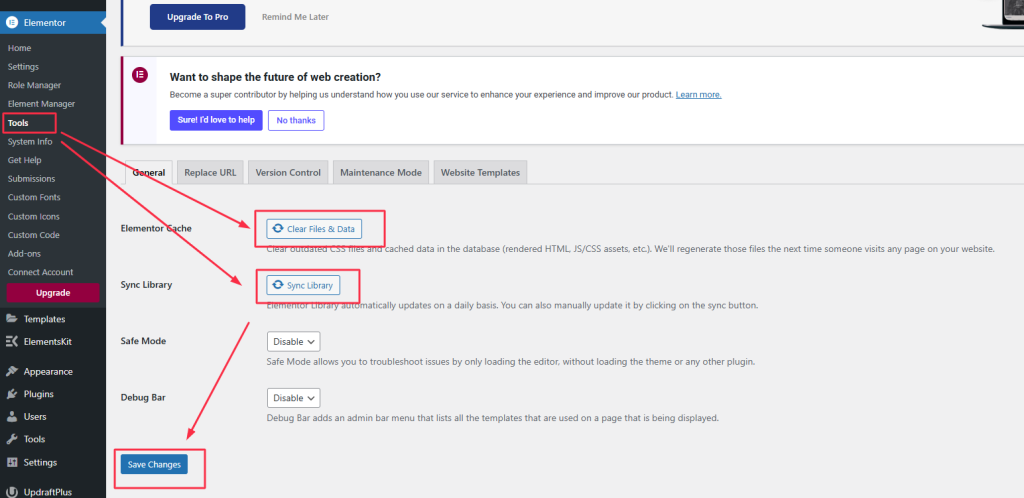
- Go to Elementor > Tools > General
- Click on Clear Files & Data and Sync Library buttons.
- Click Save Changes Button.
For your reference, please refer the below screenshot;
Note: If clearing cache and regenerating CSS is not enough to resolve the issue, you may need to re-assign a widget manually.